66IDEAS  /  № 03
CRMTHREE

Today everybody can build a CRM system.

CRMTHREE is a complete CRM, fully specified: accounts, contacts, leads, opportunities, quotes, orders, activities, tickets - the functionality, the UX, and the architecture, written down so that anyone can build it. Four implementations already exist - on completely different stacks - and all of them are self-hostable and free.
Try the live demoGet CRMTHREE on GitHub

The demo is the Plain HTML implementation, unchanged: one file, 196 kB, no server, no sign-up. It runs entirely in your browser and keeps its data in localStorage on your machine.

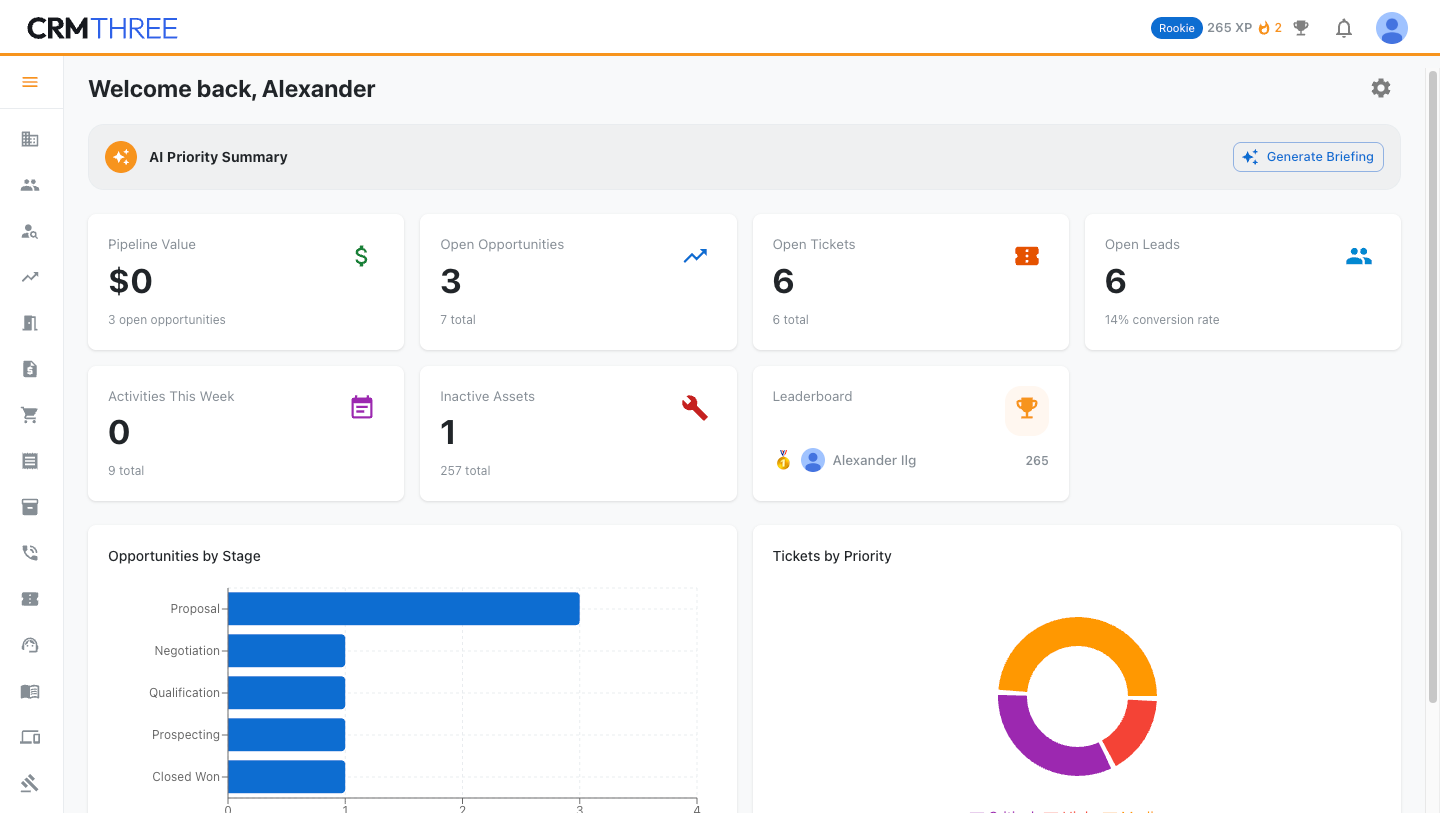
CRMTHREE dashboard

Dashboard. Your day at a glance - pipeline, tickets, leads, activities. Every card is configurable.
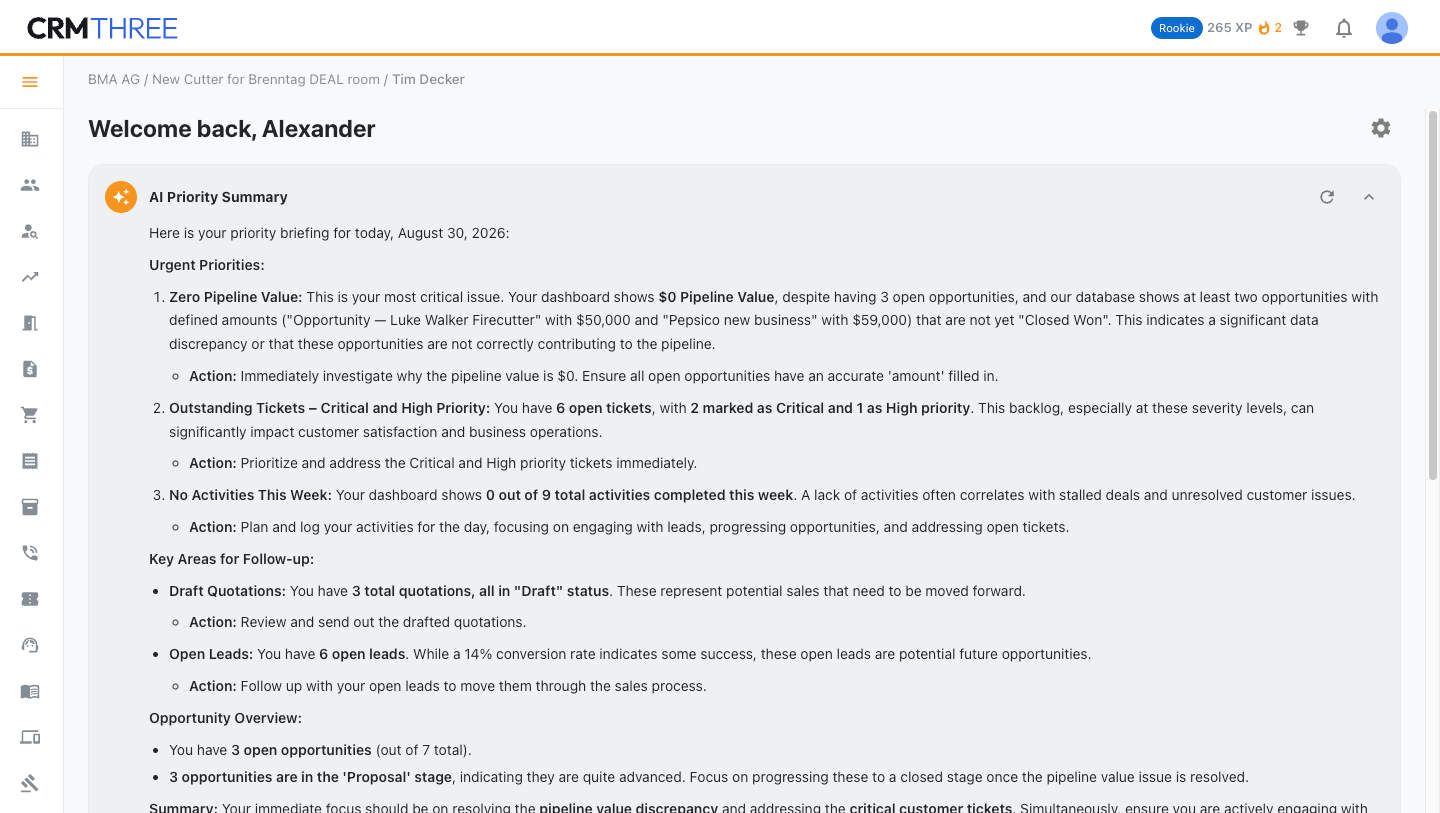
AI priority summary

AI priority summary. A briefing of what matters today, with concrete next actions. Bring your own model.
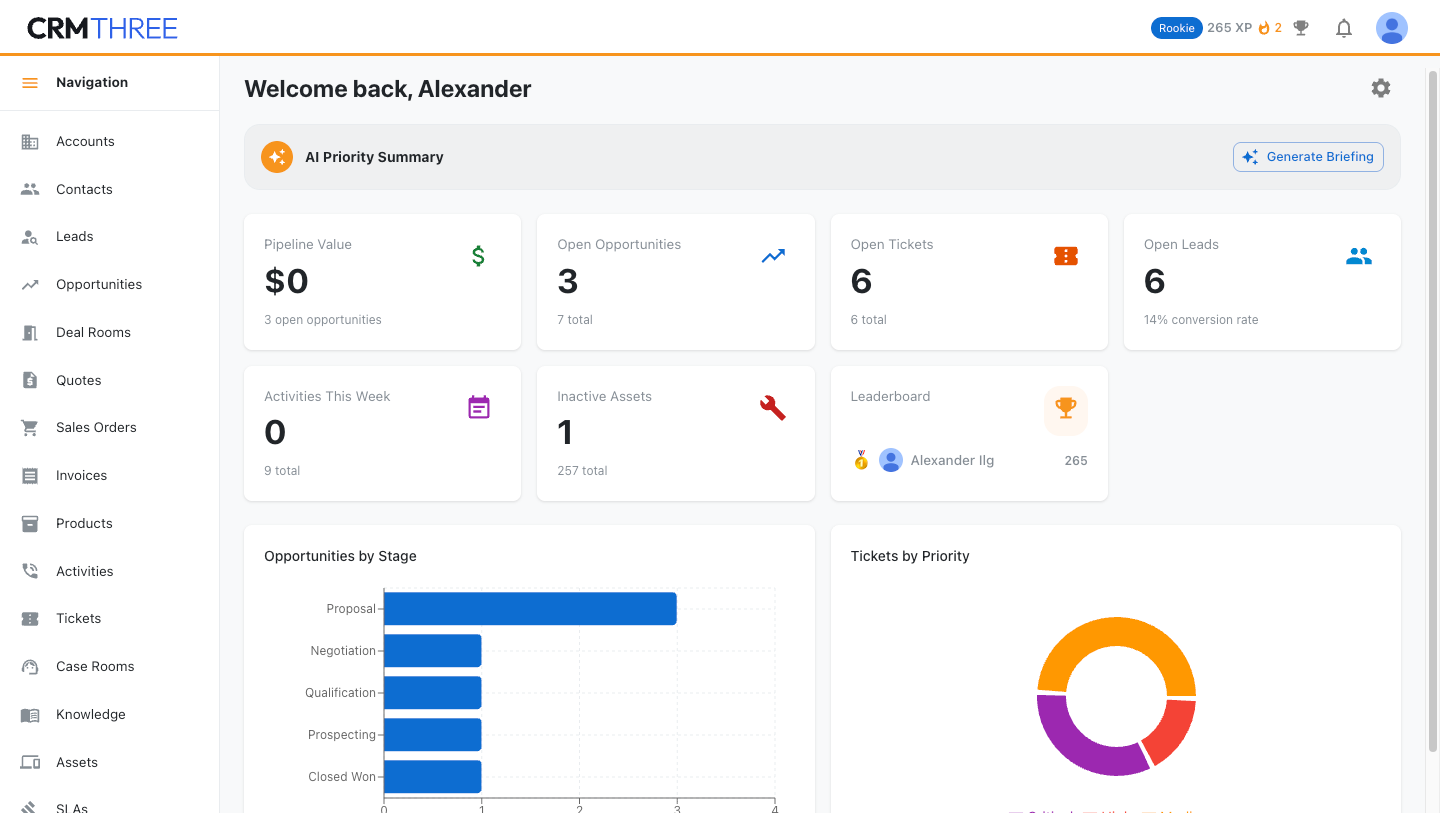
Left navigation

Navigation. Accounts to SLAs, one click away - expandable when you need labels, collapsible when you need room.
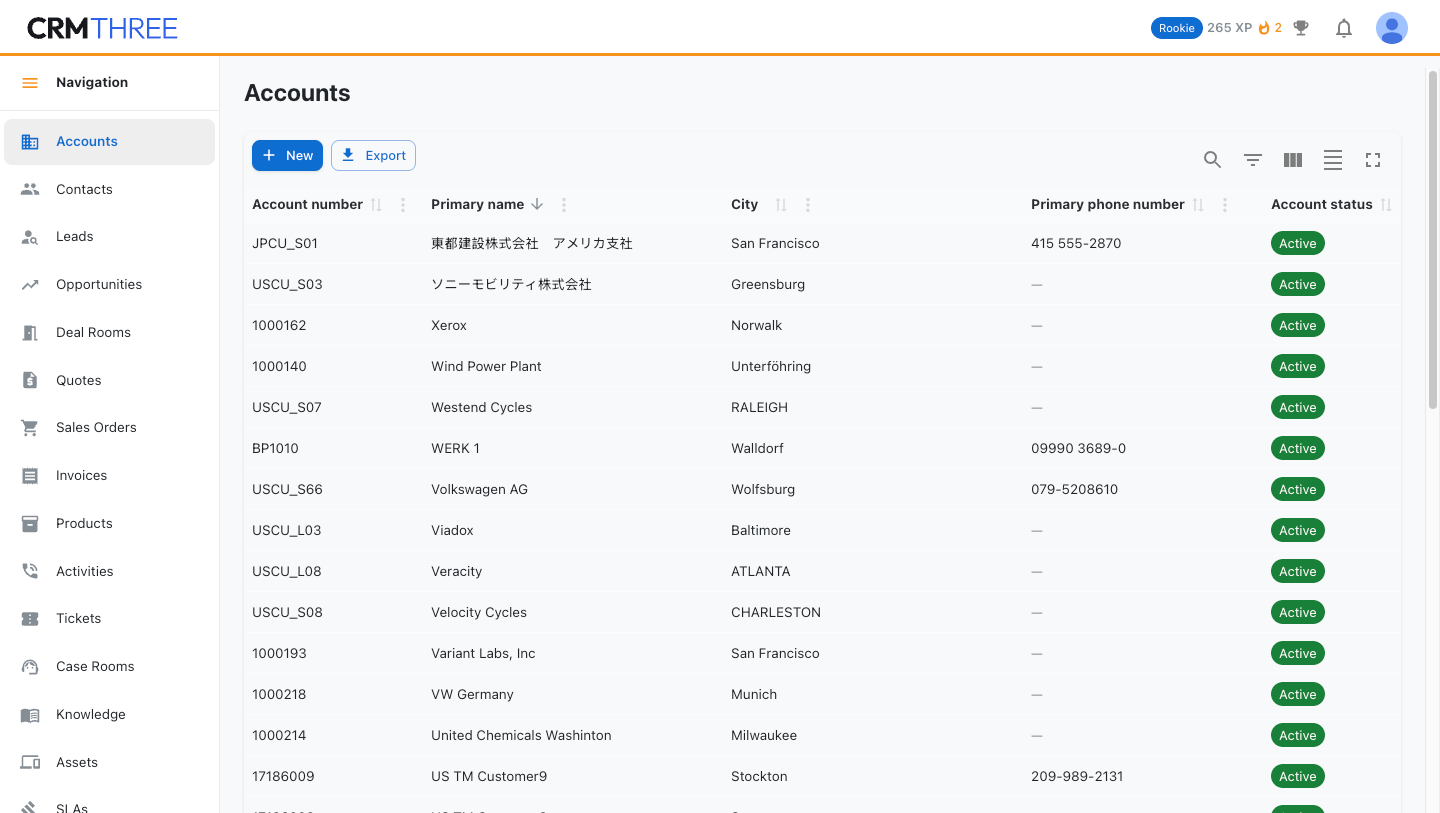
Account list

Account lists. Search on every column, sort, filter, export - columns and fields fully configurable.
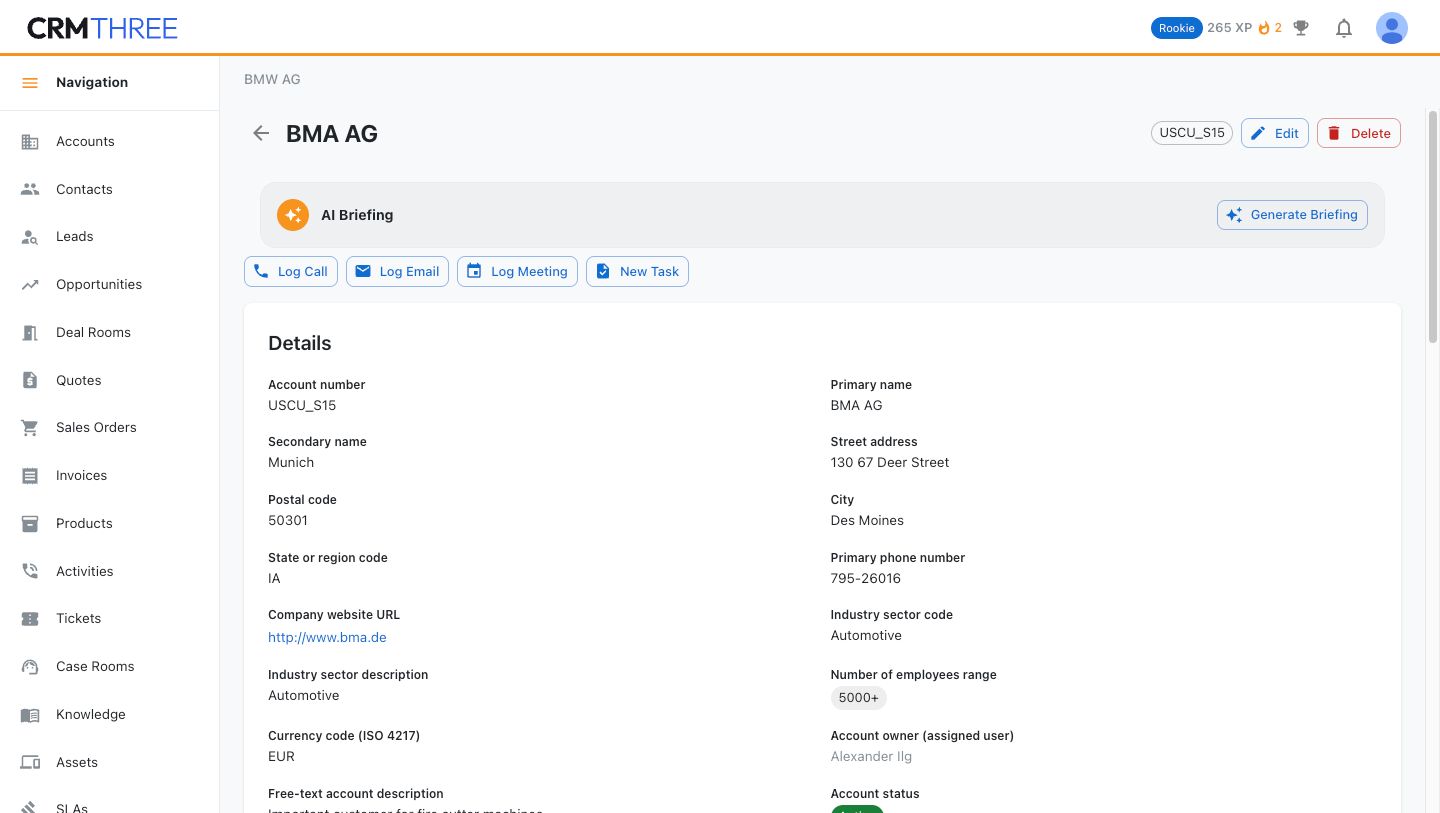
Account details

Account details. The full customer picture, with an AI briefing and one-click logging of calls, emails, and meetings.
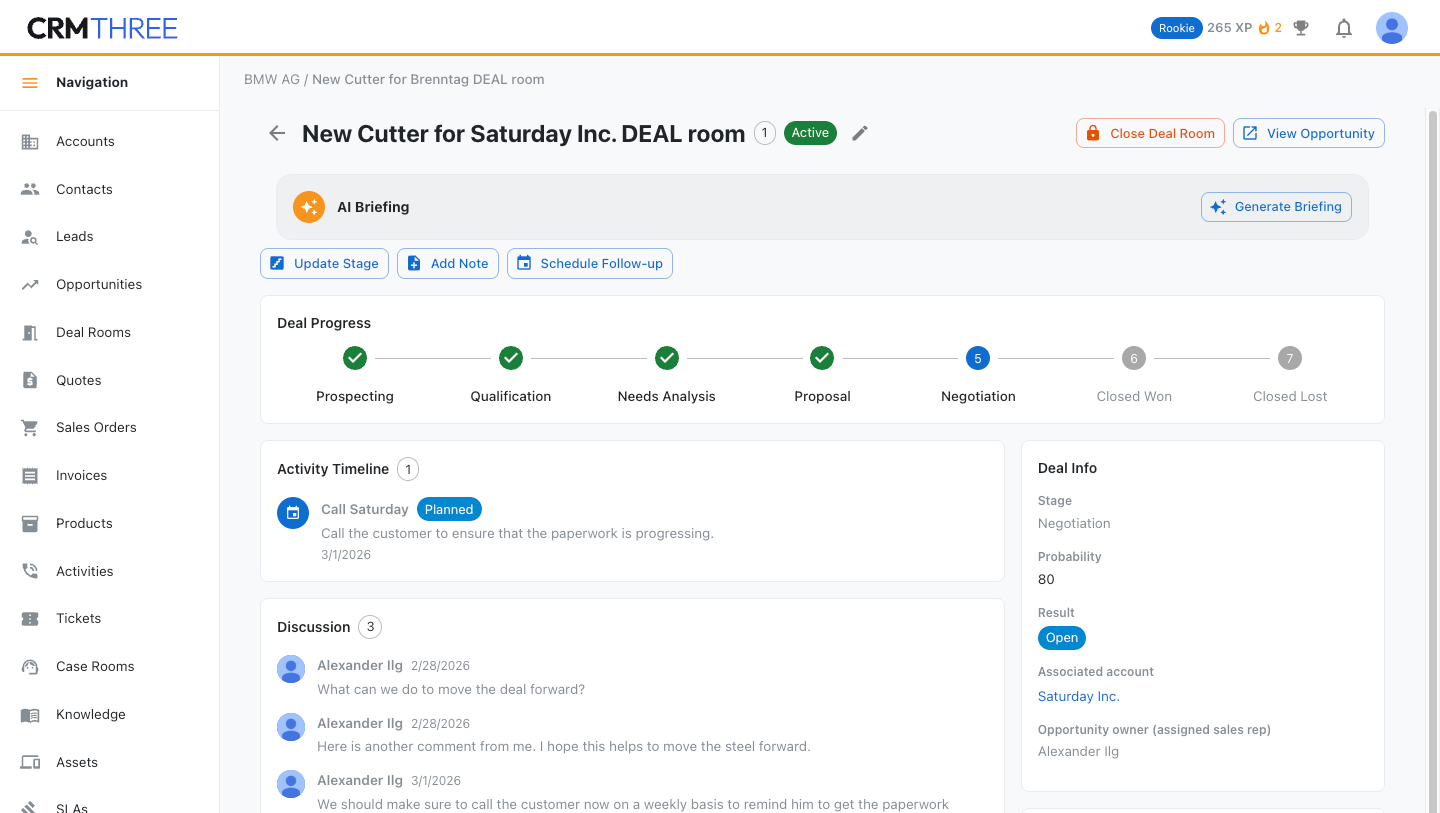
Deal room

Deal rooms. Everything about an important deal in one place - stage, activity timeline, and team discussion.
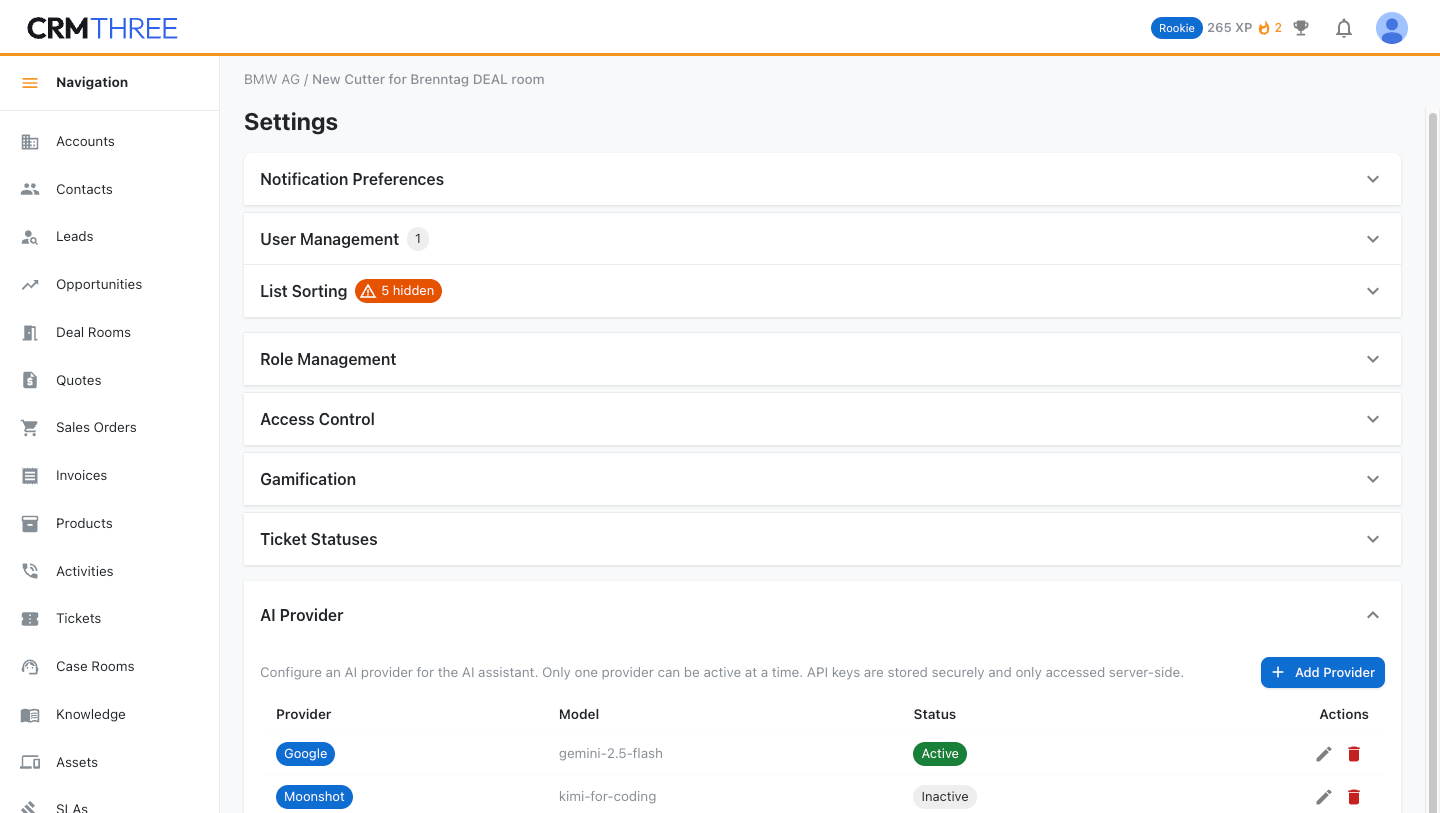
Settings

Settings. Objects, fields, AI providers, data sources - everything can be configured.
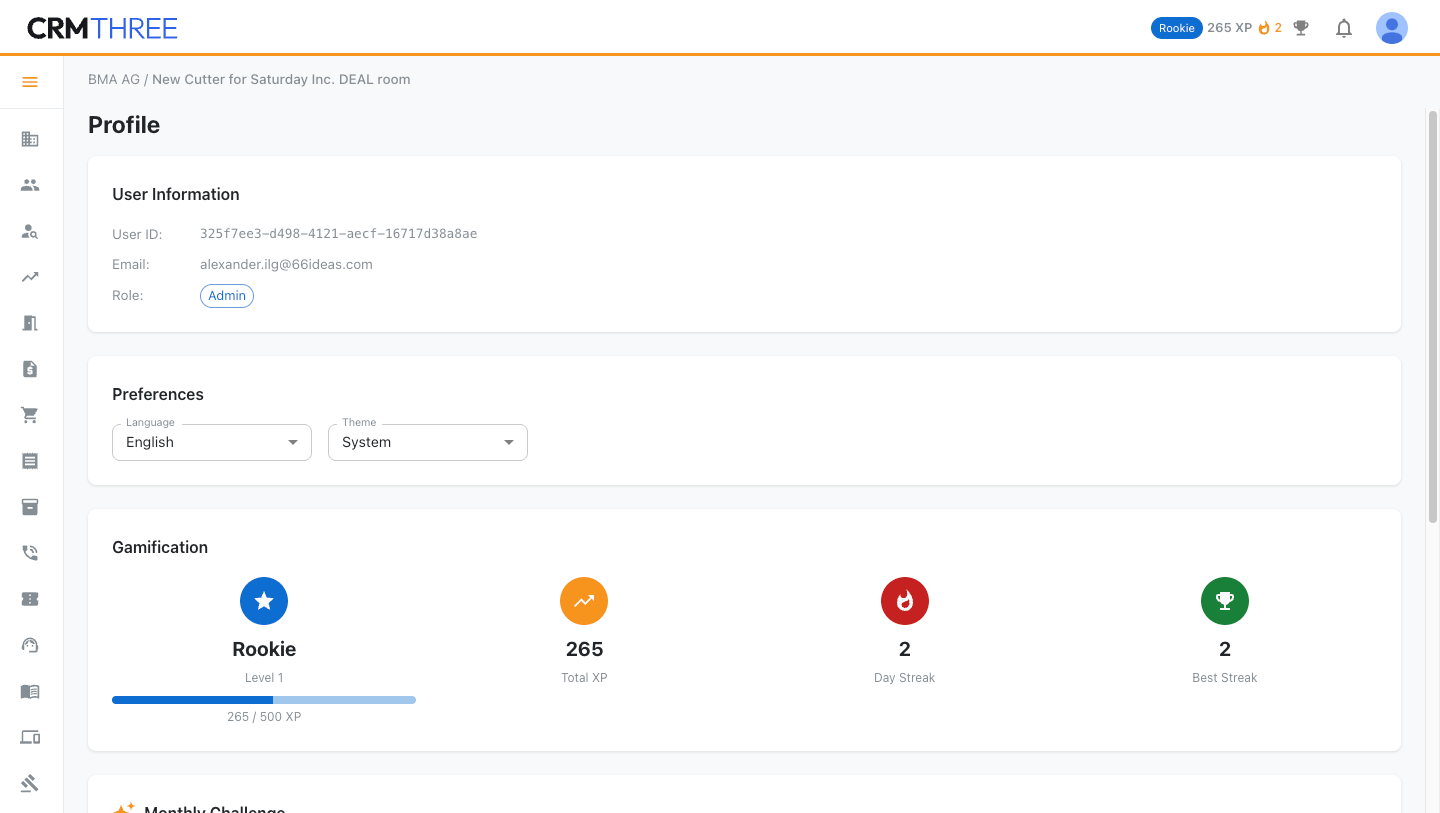
User profile with gamification

Profile & gamification. XP, levels, and streaks keep the team logging - also fully configurable.
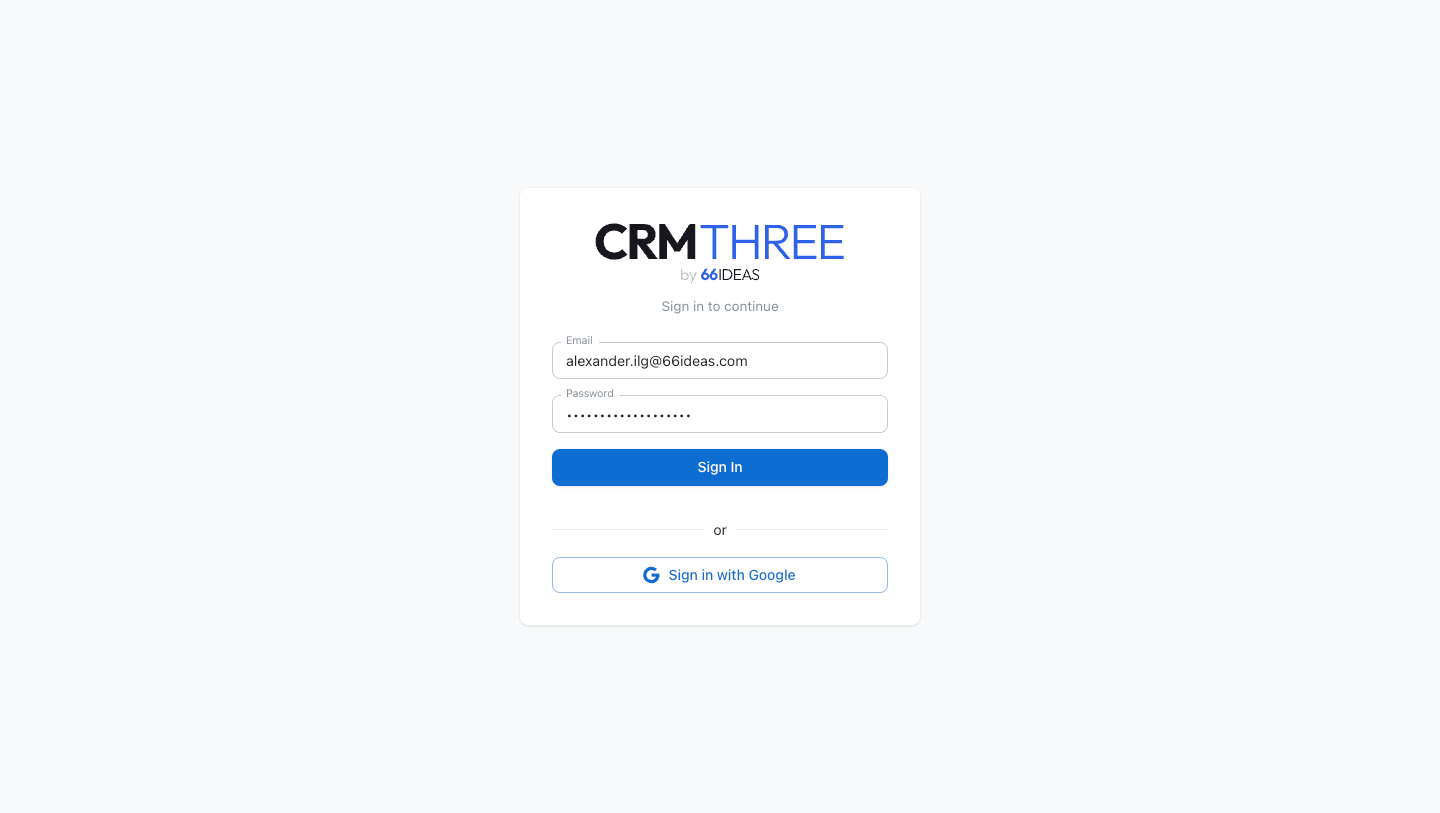
Login

Sign in. Email or Google account. Self-hosted - your users, your rules.

One spec, four implementations

These are just four ways to implement the spec - not the only ones. You want to run it in Java on Tomcat? Just do it. Implement it in .NET on Microsoft Azure? Go ahead. The specification does not care - that is the point.

What the specification covers

Twenty things, fully specified.

Each of these is defined in functionality, UX, and architecture - and proven in four reference implementations. Click a row for the detail.

Accounts & contactsThe complete customer graph

Company accounts with parent/child hierarchies; contacts that can belong to several accounts. Both link to opportunities, quotes, orders, invoices, tickets, assets, and activities - and every record layout shows its linked records as cards, parents first.

Lead managementCapture, score, qualify, convert

Leads track their source, carry a 0-100 score, and move New → Contacted → Qualified → Converted. One-click conversion creates contact, account, and opportunity in a single pre-filled dialog.

Opportunities & pipelineDeals through a configurable pipeline

Pipeline stages are admin-configurable. Opportunities carry inline line items with auto-numbering and live net-value calculation, and convert to a quotation or a sales order with one action.

Quote to invoiceQuotation → sales order → invoice

Each document can be created from its predecessor, line items and all. Documents are identified by their number, with the account first on every form.

Product catalogOne catalog for every document

Products with pricebook entries, referenced as line items on opportunities, quotations, sales orders, and invoices.

Activities & timelinesEvery interaction, logged and visible

Calls, emails, meetings, and tasks linked across all objects, shown as timelines on each record - plus a personal cross-object timeline and a team timeline for managers, fed by a full audit log of creations, stage changes, and reassignments.

Service ticketsSupport with configurable everything

Tickets with configurable statuses, categories, and priorities, linked to accounts, contacts, assets, and contracts - each one openable as a Case Room workspace.

SLAsTargets that are actually tracked

Response- and resolution-time targets, assigned to tickets by rules, with elapsed time tracked and breaches visible at a glance.

Knowledge baseGrows out of solved cases

Categorized, searchable articles linked to tickets - and a one-click action that turns a resolved ticket into a draft article, so the knowledge base grows itself.

Assets & service contractsWhat customers run, what they are entitled to

Installed products per customer, referenced by tickets; contracts with coverage periods and entitlements behind them.

Deal Rooms & Case RoomsA workspace per important deal or case

Opt-in workspaces that put everything in one place: an AI summary first, stage progress, activity timeline, team discussion, documents, and quick actions.

DashboardRole-aware and configurable

KPI cards and charts for pipeline, tickets, leads, and activities. Users show or hide widgets; defaults follow the user's role; an AI priority briefing sits on top.

AI assistant & semantic searchAsk - don't browse

One bar (Ctrl+K) detects whether you are searching or asking. Keyword search spans every object; semantic search finds records by intent; questions get data-aware answers grounded in your own CRM records.

Bring your own modelOpenAI, Google, Anthropic, Moonshot

The admin chooses the AI provider and model. Calls run through a server-side proxy - API keys never reach the browser. No provider configured? Everything falls back to keyword search, silently.

AI briefingsPrepared before every interaction

Opening a record shows an AI briefing tailored to its type - relationship health on accounts, risks and next actions on opportunities, severity and SLA on tickets - with summaries at user, account, and deal level.

GamificationXP, levels, badges, streaks

Points for real CRM work, named levels, collectible badges, streak tracking, leaderboards, AI-assigned monthly challenges, and celebration moments - all configurable, all optional.

Roles & accessRBAC with a role-adaptive UI

Default and custom roles, per-role navigation and layouts, an email/domain whitelist, and in-app user management with invitations - provisioning without touching the database.

Multi-language UI~30 languages, AI-translated

Every label translatable, per-user language choice with instant switching, an admin translation table - and an AI button that batch-translates the lot.

Import, export & replicationData in, data out

CSV export from any list view, CSV import with preview and field mapping, and configurable replication from external web services with create-or-update matching.

Zero-friction UXFast on purpose

One-tap contextual actions on every record, forms that show only the key fields until you ask for more, keyboard-first search, and a responsive design that works on desktop, tablet, and mobile without a separate app.

Alexander Ilg
Why "three"? - Alexander Ilg
The name counts my own CRM history. My first CRM was SAP CRM. My second was Salesforce. This is the third - and this time, the design is open for everyone.

Specification and reference implementations: github.com/66IDEAS/crmthree.

Try the live demo Get CRMTHREE on GitHub

The demo is the Plain HTML implementation, unchanged: one file, 196 kB, no server, no sign-up. It runs entirely in your browser and keeps its data in localStorage on your machine.